Hello, everyone!
Today, so that we can list products on Coupang and start selling,
I thought I'd write about signing up for Coupang Marketplace and getting a shop set up.
These days, relying on a regular job or part-time work alone can be a real financial strain,
and it seems plenty of people in their 20s and 30s spend their lives working without even considering buying a home of their own.
Working away at the same job can leave you tired or fed up,
and, realistically, saving much money is difficult in the current situation.
So today I'm going to try one of the side jobs you can fit in at home or after work: selling products
through an online marketplace.
1. Sign up for Coupang Marketplace
To list products on Coupang, you first need to register a shop with Coupang Marketplace.
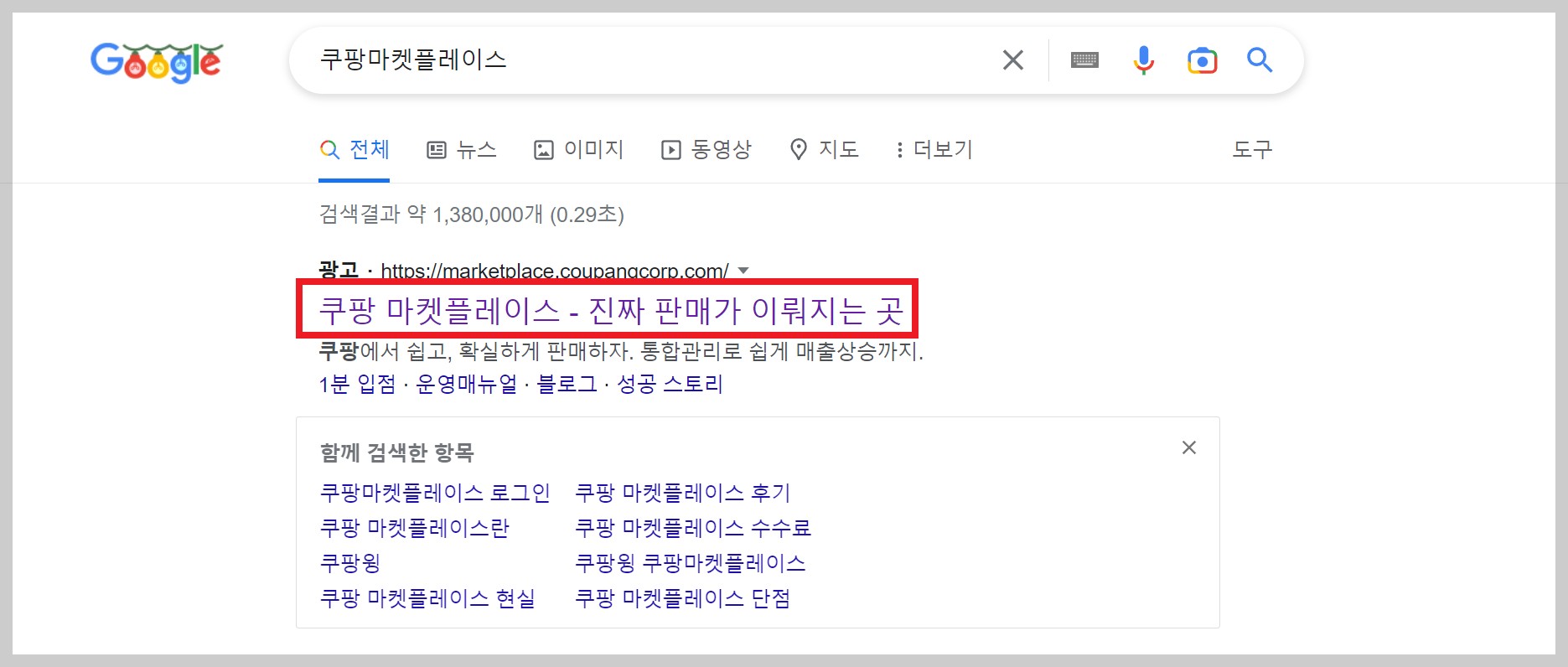
Start by searching Google for Coupang Marketplace and opening the site.
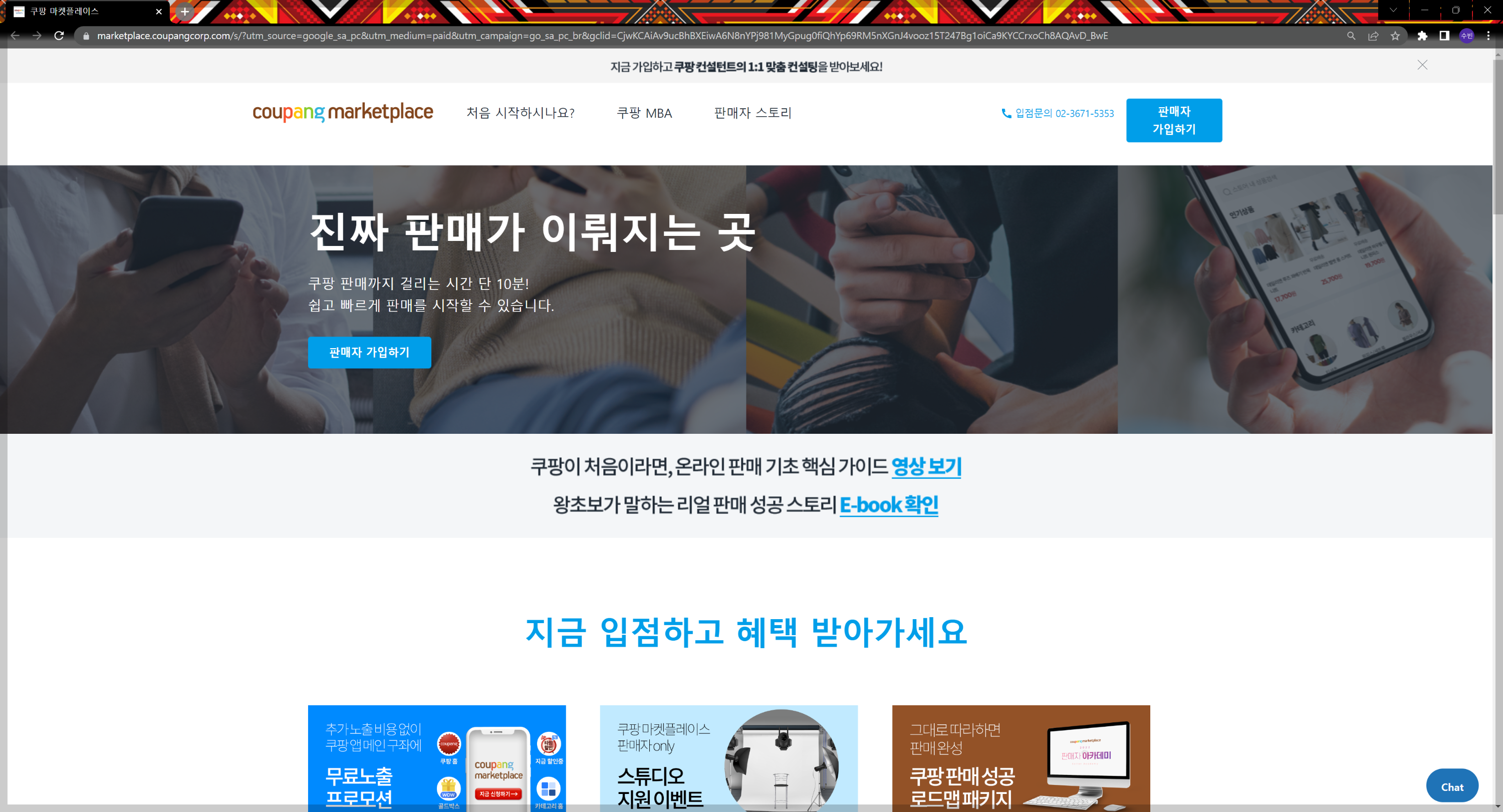
On the page that opens, click the blue 판매자 가입하기 (Sign up as a seller) button in the middle.

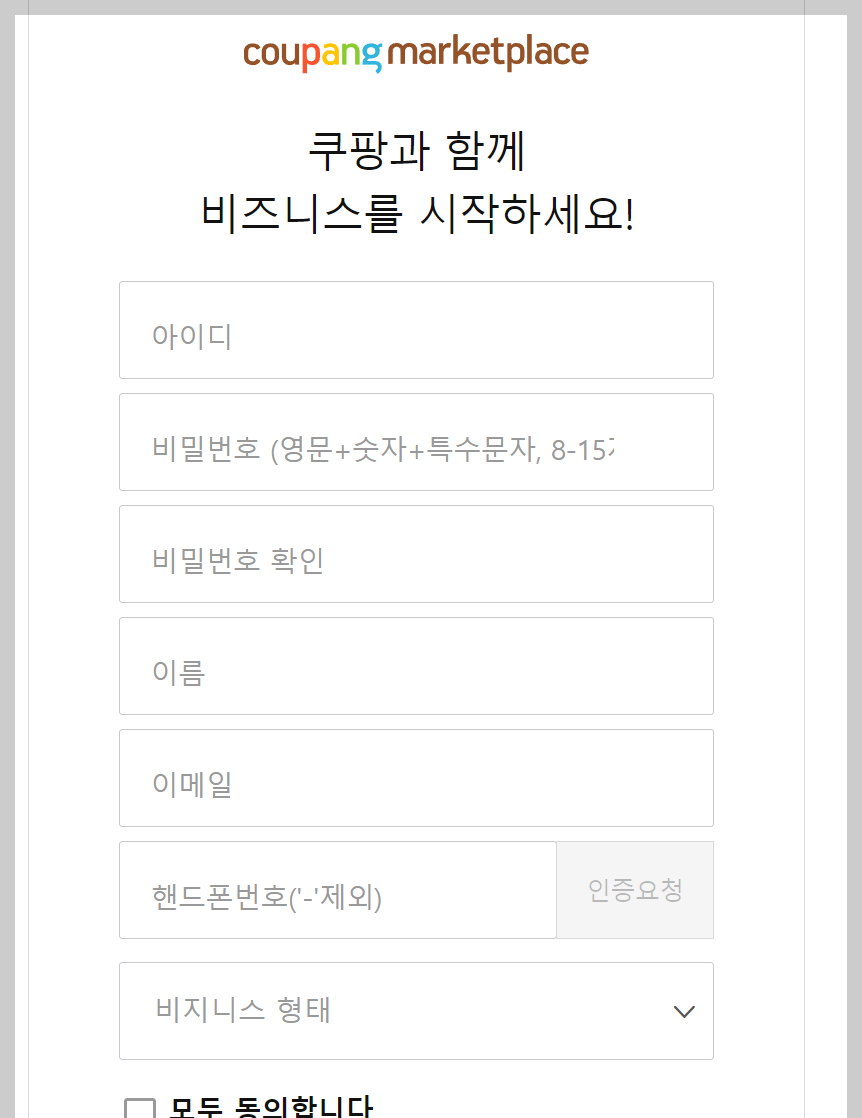
Fill in your details and sign up.
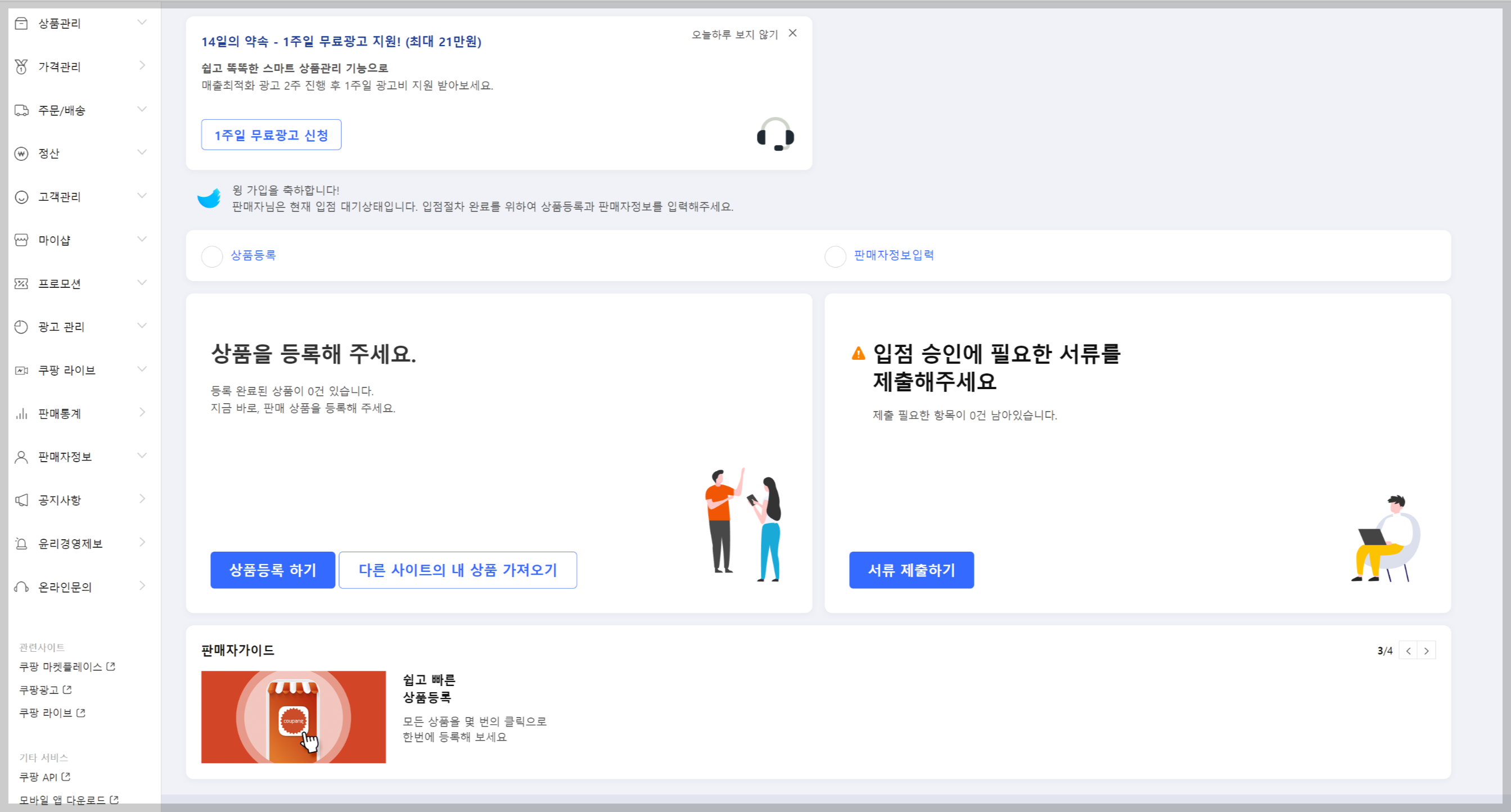
The first time you register, you'll see a screen like this, which means your account is set up.
Next, you need to submit documents to get your shop approved.
2. Register your business and apply for mail-order sales registration
Now let's work through business registration and the mail-order sales application.
To list and sell products on Coupang, you need to register a business. And because you'll be selling online,
you also need to apply for mail-order sales registration.
Click "Submit documents" in the picture just above.
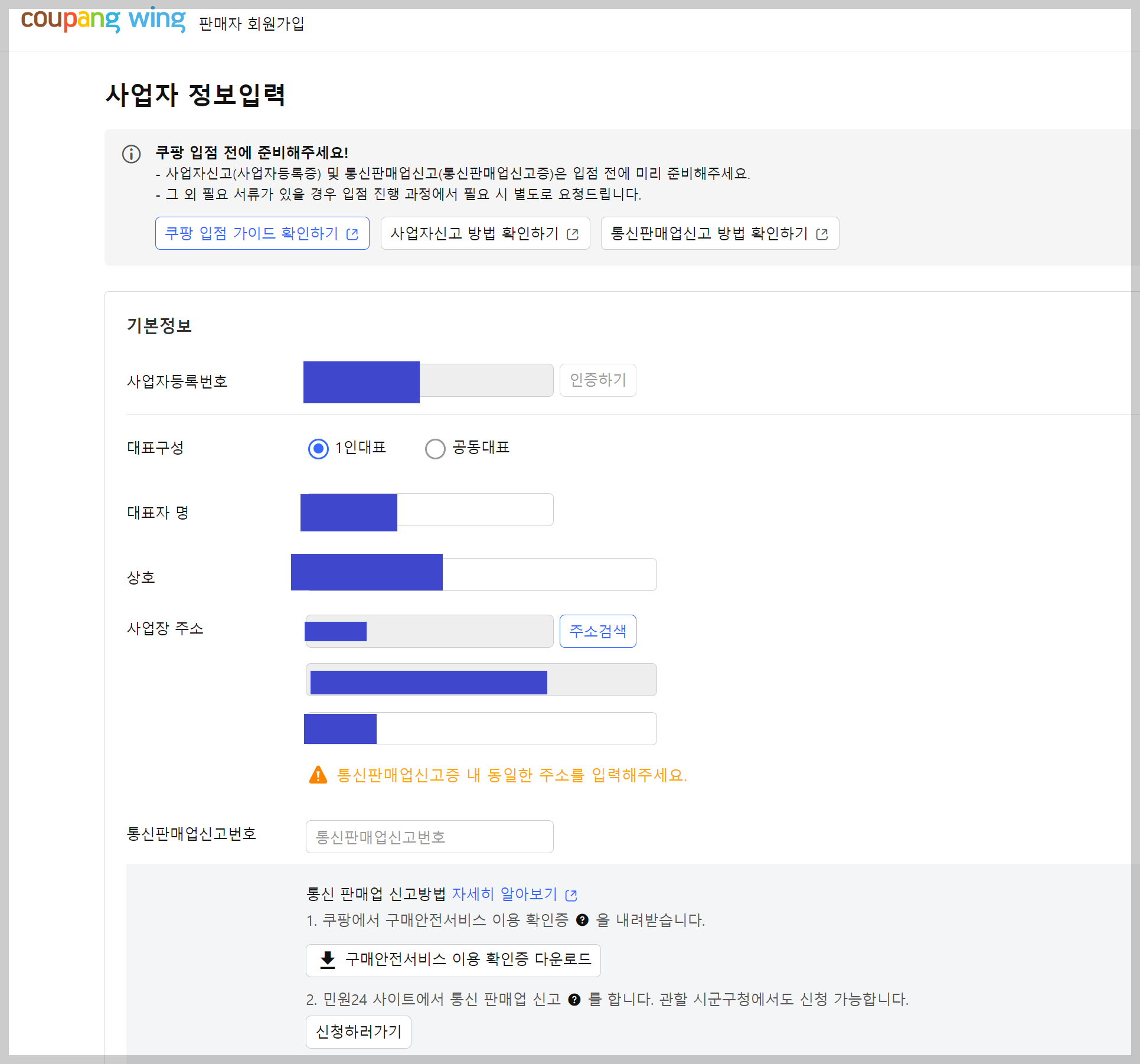
A window like this will appear.
The links at the top explain briefly how to register a business and how to register for mail-order sales.
They don't go into much detail, though, so you might still find the application a little confusing.
Let's start with the business registration application.
I might cover business registration in more detail in a separate post. A quick search will also turn up
plenty of detailed guides, so I'll skip the details here.
If you're joining Coupang for the first time, you'll probably register as a sole proprietor rather than a corporation.
There aren't actually any separate supporting documents required for a sole proprietor.
However, you do need to choose between general and simplified VAT taxation,
so you'll need to work out which applies to you.
A general VAT taxpayer is
a sole proprietor with expected annual sales of KRW 48,000,000 or more,
who files tax returns twice a year.
A simplified VAT taxpayer is
a sole proprietor with expected annual sales of less than KRW 48,000,000,
who files a tax return once a year.
Now let's get started
by visiting the National Tax Service website to register the business.
National Tax Service Hometax
www.hometax.go.kr
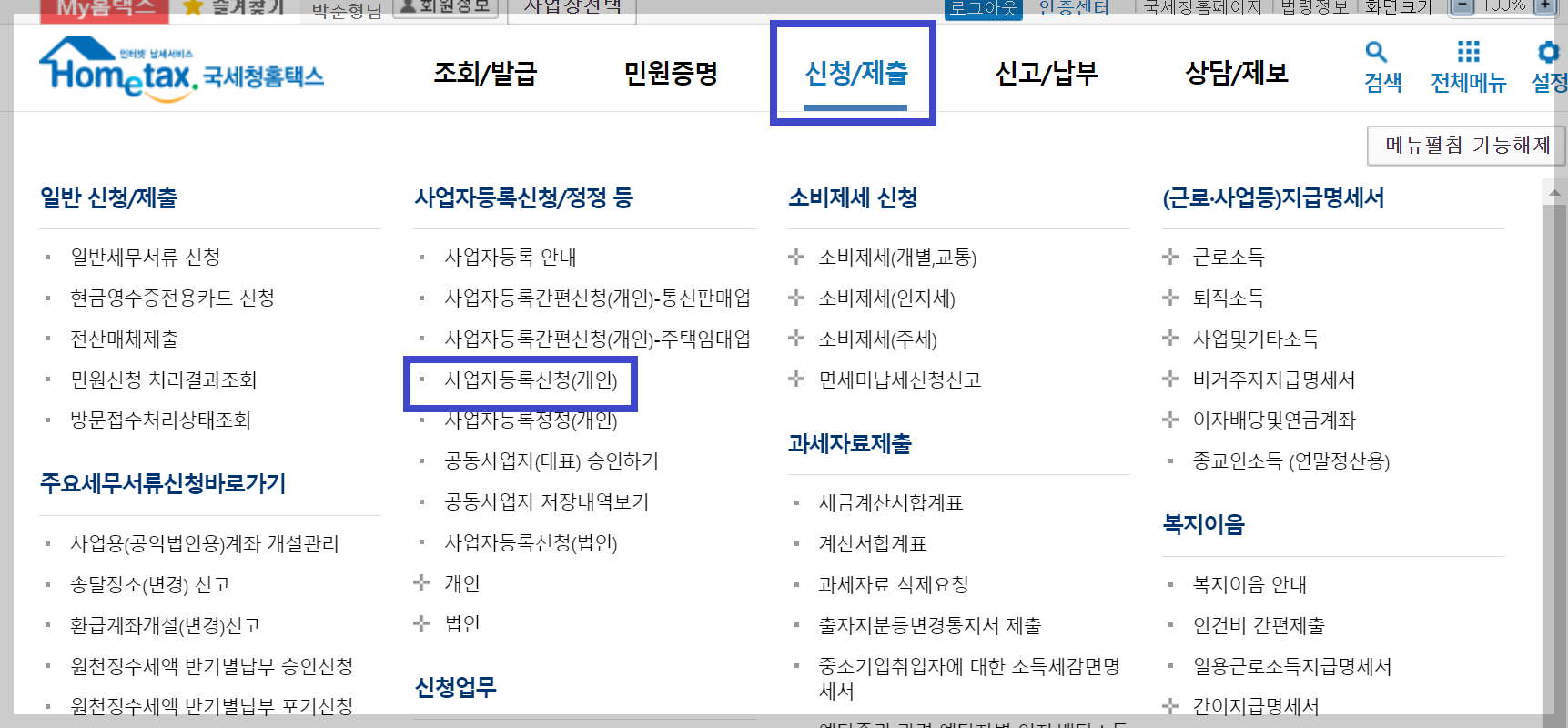
On the National Tax Service website, go to [신청/제출 > 사업자등록신청(개인)] (Applications/Submissions > Business Registration Application for a Sole Proprietor).
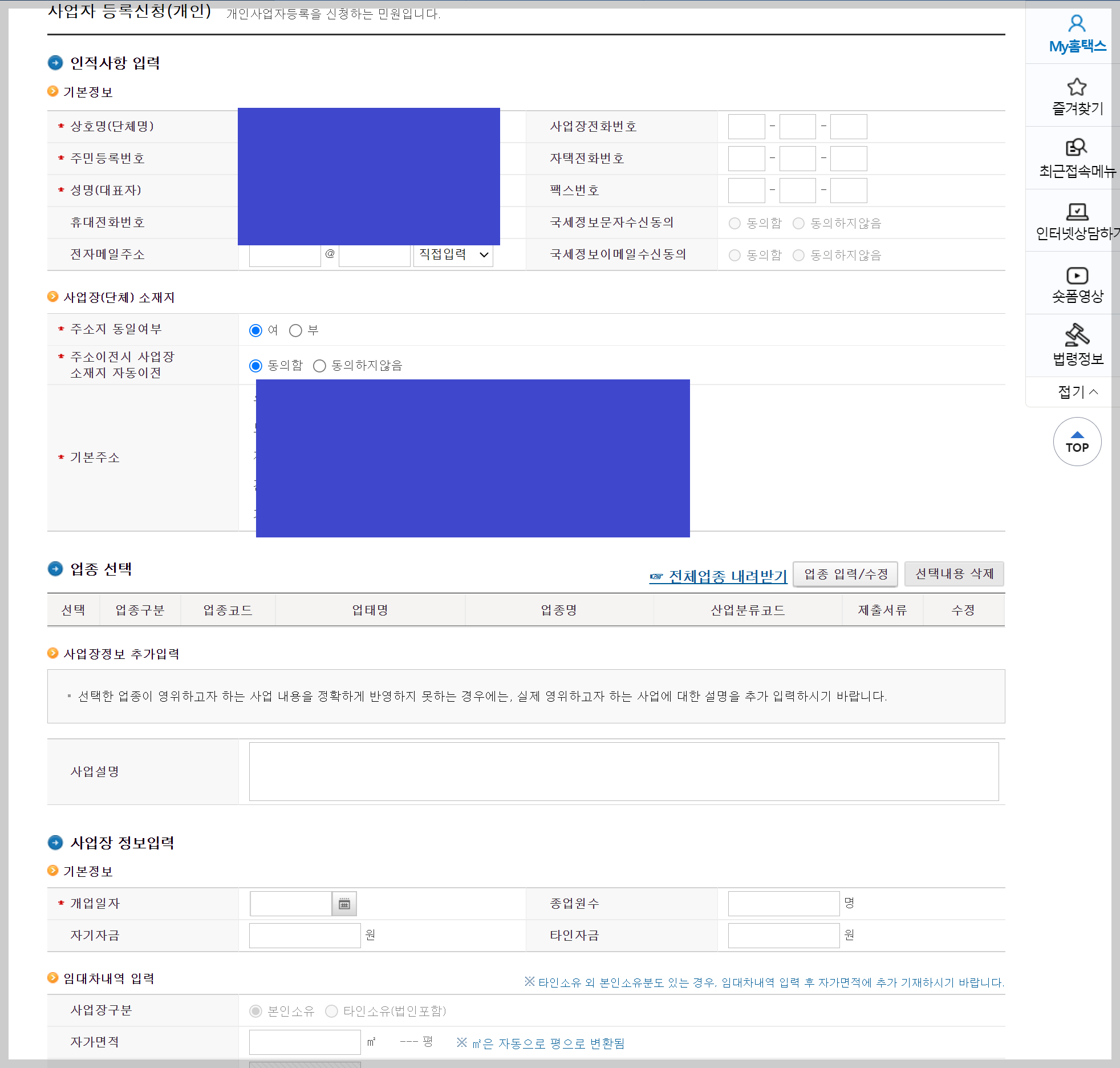
Let's move through this fairly quickly.
First, there's nothing unusual in the basic information section; just fill in your details.
For the business name, decide what you'd like to call your business and enter it.
If you're renting business premises, include the business phone number as well.
And select Agree for both consent-to-receive-messages options.
Next, if you're renting business premises, select No (부).
If you aren't renting and are working from home, select Yes (여).
When you select Yes, you'll see an option like mine to move the registered business address automatically when your home address changes.
Selecting Agree means the address will be updated automatically.
Next, you need to choose your business category.
This is the most important part of business registration, so make sure you register the right category.
Click 업종 입력/수정 (Enter/Edit business category).
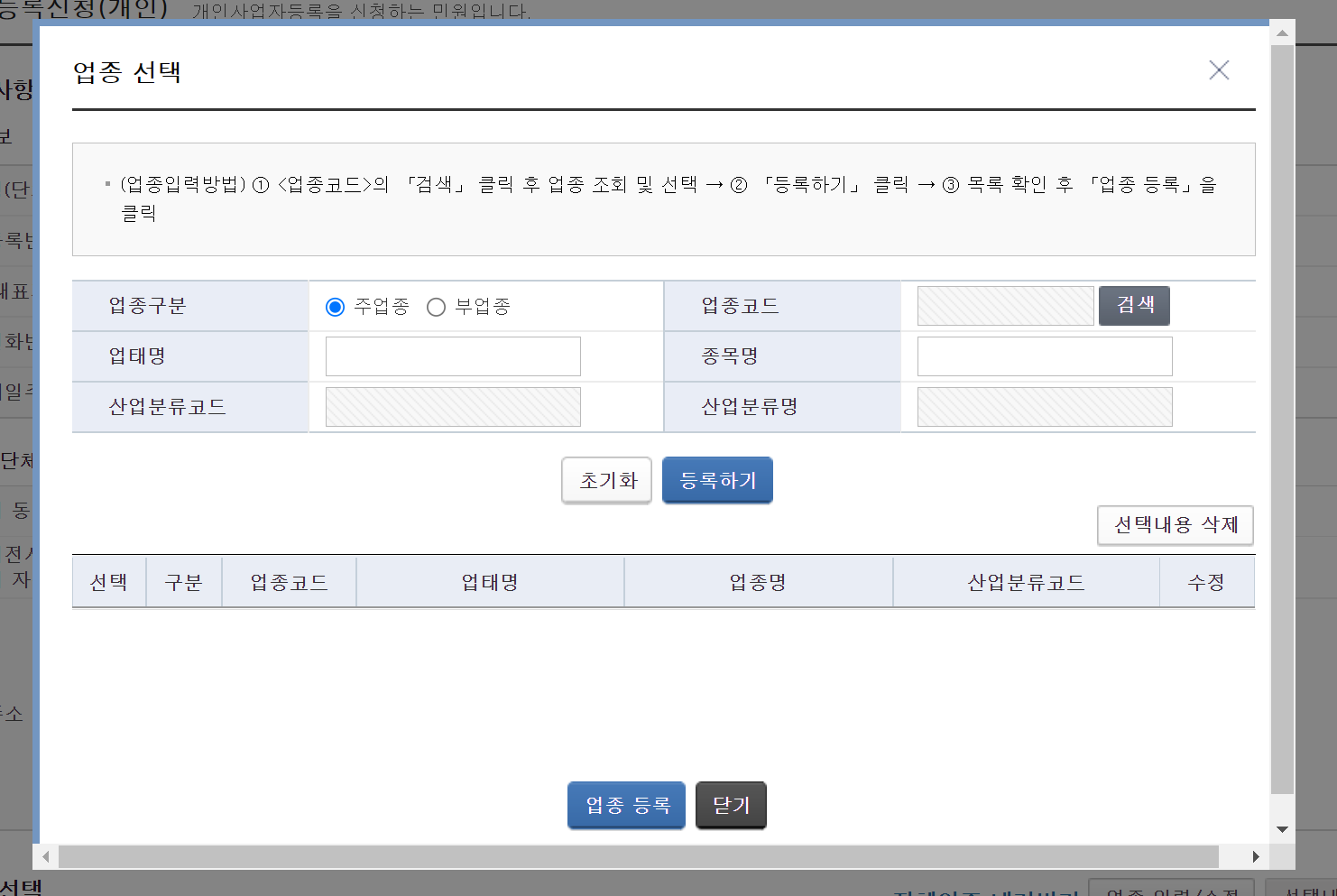
A window like this will open.
Click Search beside the business category code,
then, in the window that opens, enter the code
"525101"
in the business category code field.
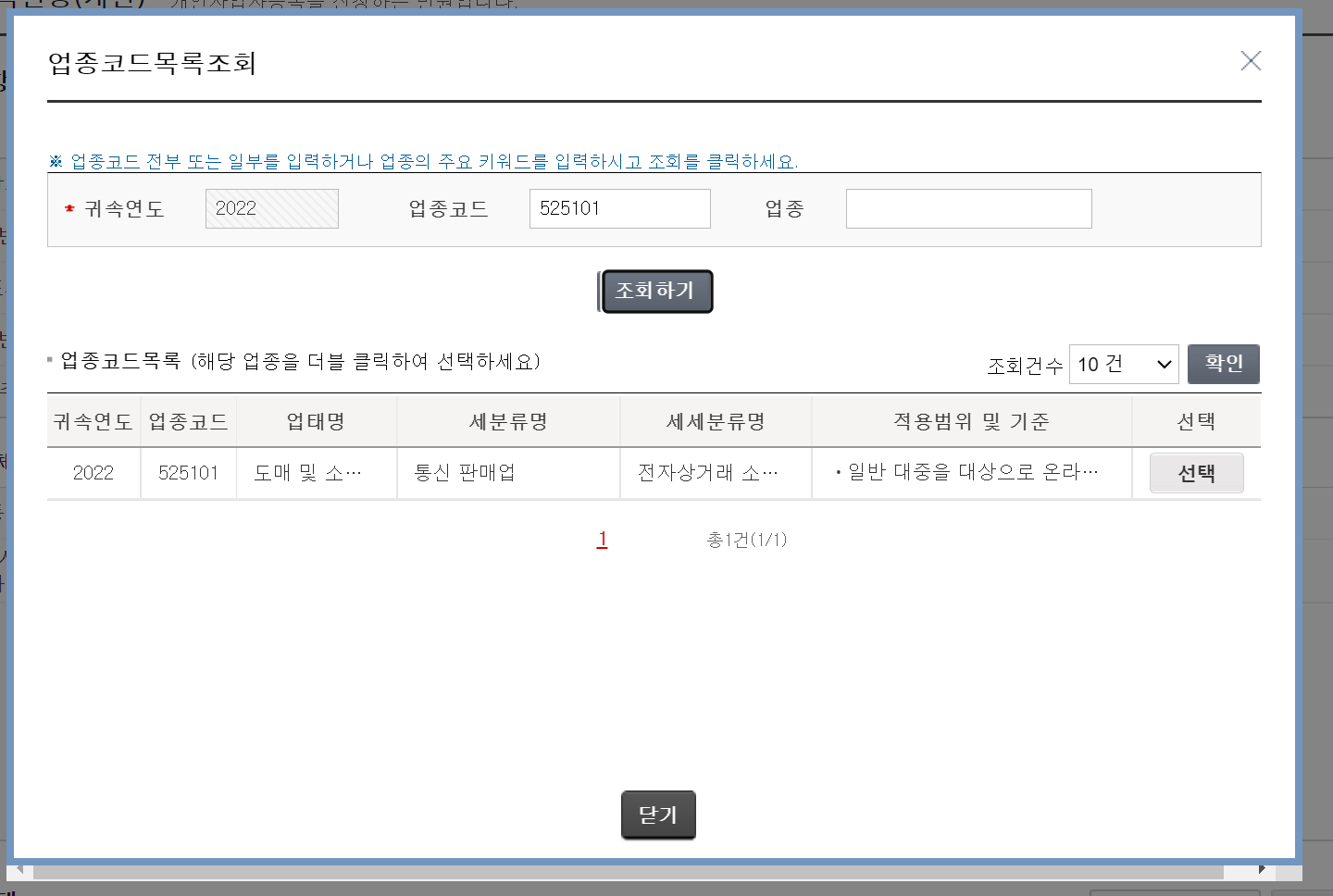
Since we're going to sell online through Coupang, enter 525101 and click Select.
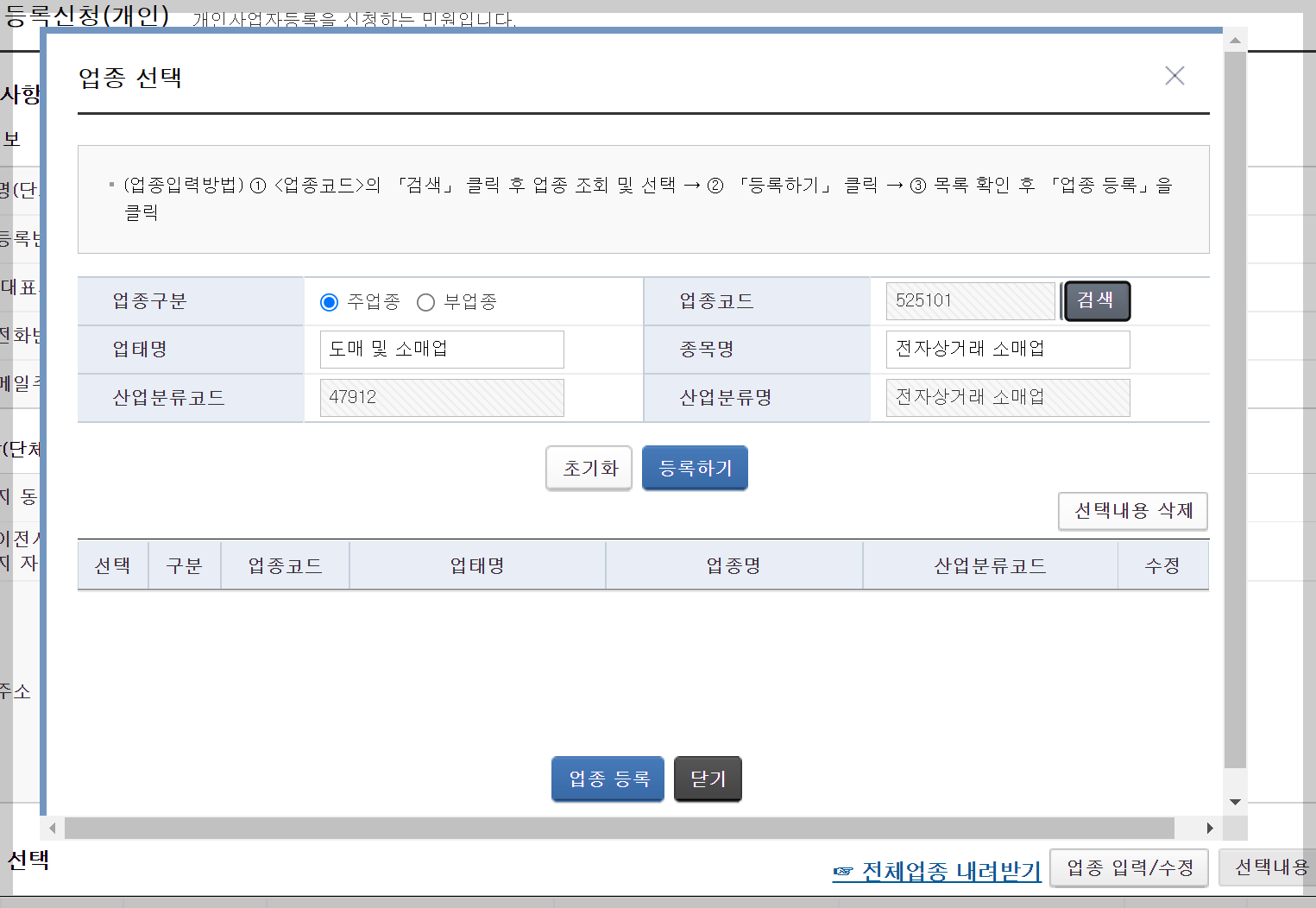
Then click Register here to add the business category.
(By the way, if you're acting as a purchasing agent for overseas purchases, enter 525105.)
Further down, there's a section for details about your business premises.
There's nothing particularly difficult here either.
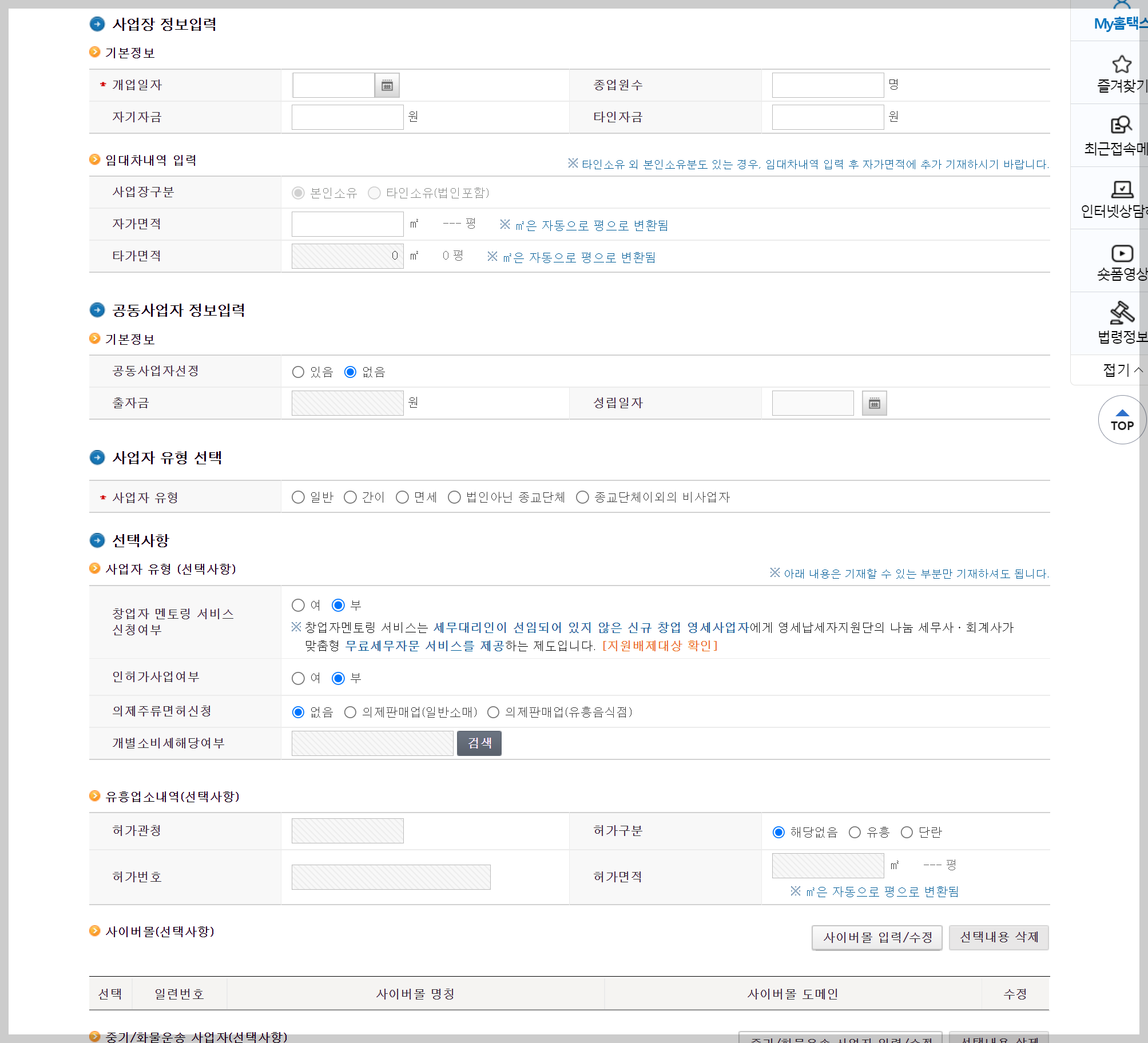
If you're renting premises, fill in the basic business premises details accordingly.
We aren't, so fill it in to match your own home.
There are no employees, so enter 0.
For the area you own and use, I'll enter 30㎡, since I'll be working from the home where I currently live.
I don't have a business partner, so I'll select None. As for the business type,
my expected sales are still below KRW 48,000,000, so I'll select Simplified.
If you're just starting out with Smart Store or Coupang, you'll generally choose Simplified.
I don't have my own online shop, so I'll skip the 사이버몰 (online shop) field.
Once you're done, click 저장후다음 (Save and continue).
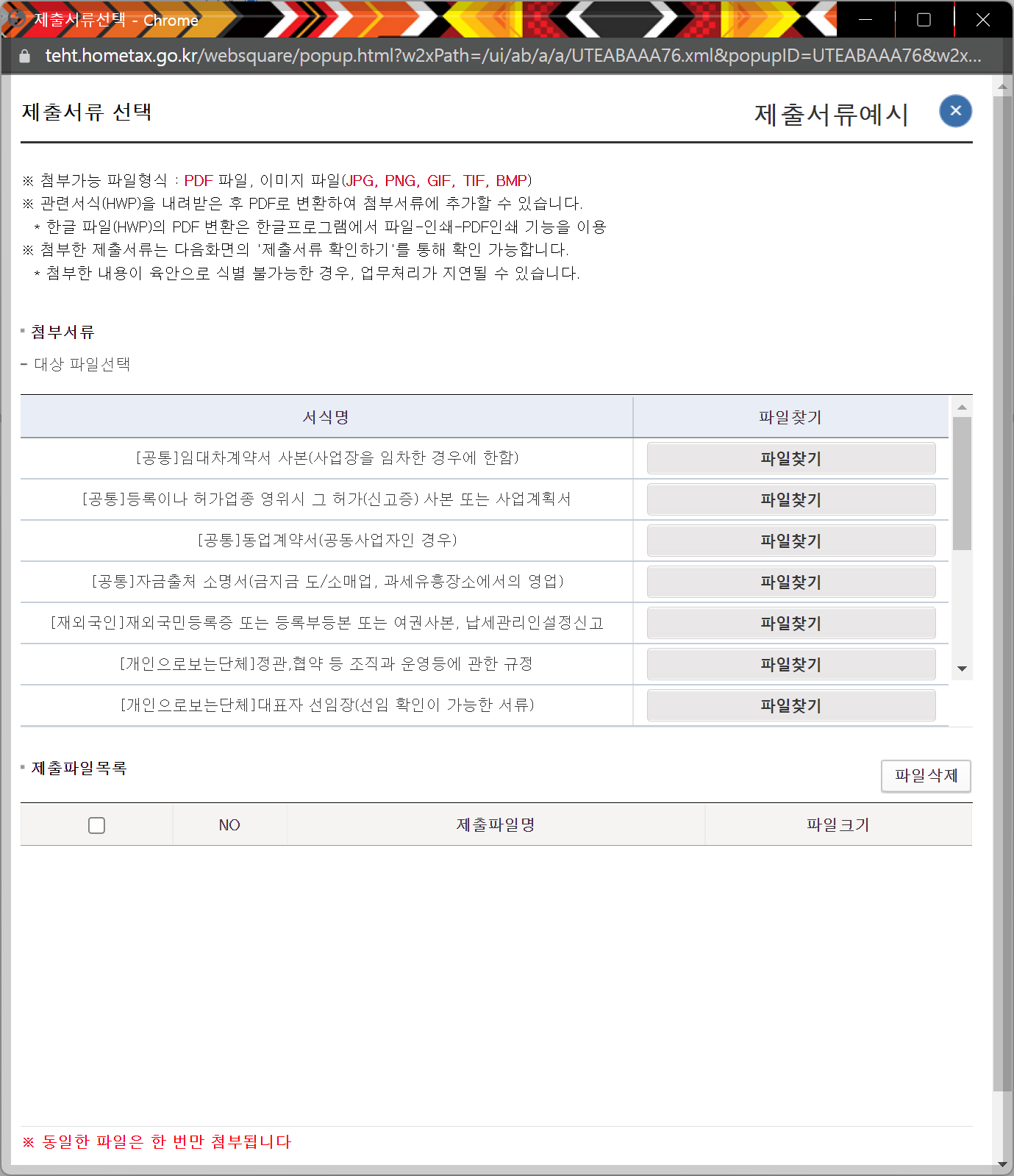
You'll see a document submission window like this.
If you haven't rented business premises and are registering under simplified taxation, there are no separate documents to submit, so go straight to the next step.
Keep clicking Next,
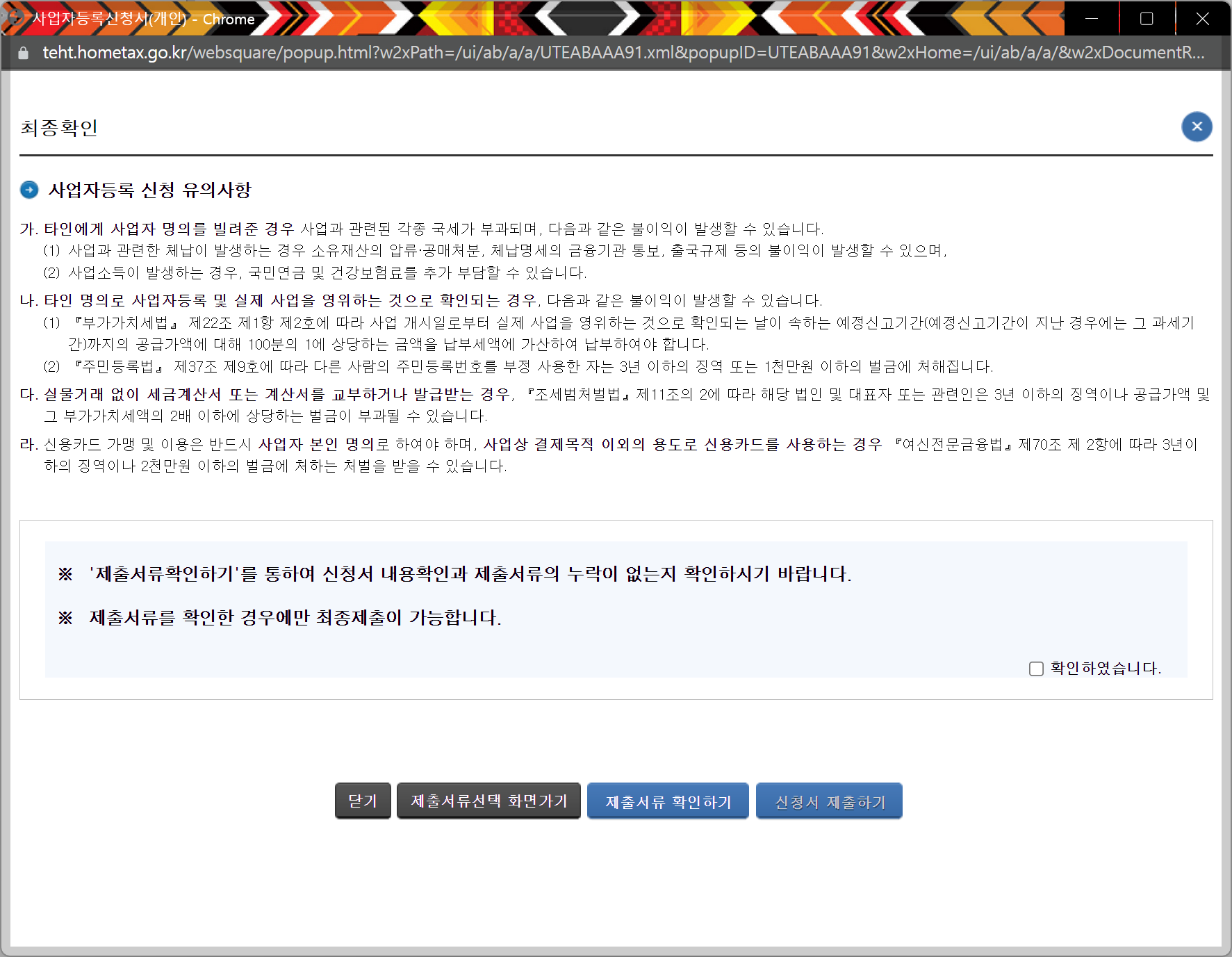
then tick "I have checked" here and submit the application. That completes the business registration application.
As long as there weren't any issues with what you filled in, business registration tends to be approved the same day.
So that's the business registration taken care of.
This is getting a bit long, so I'll cover the rest in the next post.
Thank you.
"This post is part of the Coupang Partners programme, through which I receive a certain amount of commission."